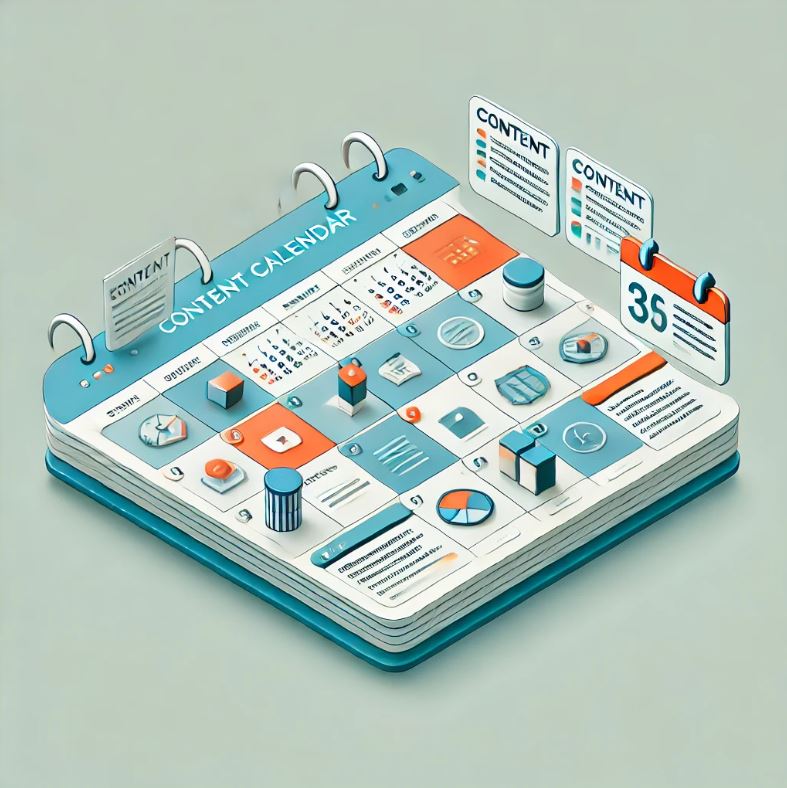
Creating a content calendar is one of the most effective ways to stay organized, maintain consistency, and boost your content marketing strategy. Whether you run a blog, social media channels, or a business website, a well structured content calendar helps you plan, track, and execute your content efficiently.
In this guide, we’ll walk you through the step-by-step process of creating a content calendar that ensures consistency, improves audience engagement, and helps achieve your content marketing goals.
Haha, this is the six million dollar question. Why not just get stuck in and work your socks off?
However, a content calendar is more than just a schedule, it’s a strategic roadmap for your content marketing efforts. Here’s why having one is essential:
Align your content types with where your audience is most active.
Step 4: Plan Your Posting Frequency
Your posting schedule should be realistic based on your resources. Here’s a basic frequency guideline:
Blog Posts: 1-4 times per month (depending on SEO goals & topic depth)
Social Media: Daily to 3x per week (platform dependent)
Email Newsletters: Weekly or bi-weekly
Videos & Podcasts: Weekly, bi-weekly, or monthly
Consistency is more important than frequency. Set a schedule you can maintain long-term.
Step 5: Brainstorm & Organize Content Ideas
Now it’s time to generate content ideas and slot them into your calendar. Here’s how:
1️⃣ Research Audience Interests – Use tools like Google Trends, BuzzSumo, and AnswerThePublic to find trending topics.
2️⃣ Use Keyword Research – Find SEO-friendly topics with tools like Ahrefs, SEMrush, or Ubersuggest.
3️⃣ Check Competitor Content – Look at successful content in your niche for inspiration.
4️⃣ Consider Seasonal Trends – Plan content around holidays, industry events, or product launches.
5️⃣ Repurpose Old Content – Refresh top performing posts with new updates.
Once you have ideas, organize them into your content calendar based on relevance and priority.
Step 6: Assign Tasks & Deadlines
If working in a team, assigning tasks and deadlines ensures smooth execution. Define responsibilities:
Content Creator: Writes and edits the content.
SEO Specialist: Optimizes for keywords and search rankings.
Graphic Designer: Creates visuals and social media graphics.
Social Media Manager: Schedules and promotes content.
Use project management tools like Trello, Asana, or Notion to assign tasks and track deadlines.
Step 7: Schedule & Automate Content
Once your content is planned, scheduling tools can help automate publishing. Some top scheduling tools include:
WordPress Scheduler (For blog posts)
Buffer, Hootsuite, and Later (For social media scheduling)
MailChimp, ConvertKit (For email campaigns)
YouTube Studio, Anchor.fm (For video and podcast scheduling)
Automating content saves time and ensures consistency, allowing you to focus on other tasks.
Step 8: Track Performance & Optimize
A content calendar isn’t just about scheduling, it’s also about analyzing results. Track key performance indicators (KPIs) to see what’s working:
📊 Website Traffic – Google Analytics shows which blog posts drive the most visitors.
📊 Social Media Engagement – Likes, shares, and comments show content performance.
📊 Email Open Rates & Clicks – Measure the effectiveness of email campaigns.
📊 Lead Generation & Conversions – Track how content impacts business goals.
Regularly review your content performance and adjust your strategy based on insights.
Common Content Calendar Mistakes to Avoid
🚫 Overloading Your Calendar – Avoid planning too much content that cannot be kept up with.
🚫 Ignoring SEO – Always optimize blog posts with keywords for search visibility.
🚫 Not Reviewing Performance – Track results and adjust content strategy based on analytics.
🚫 Lack of Flexibility – Be open to adjusting your calendar if trends or audience interests change.
🚫 Focusing Only on Promotion – Create valuable content, not just sales driven posts.
Final Thoughts
A content calendar is a powerful tool that keeps your content strategy organized, consistent, and effective. By planning, automating publishing, and tracking performance, you can save time, grow your audience, and improve engagement.
Start creating your content calendar today and watch your content strategy become more structured and impactful!
What do You Think?
So, I’m curious to know. How do you guys organize your content strategy?
Are you like I was, in the beginning, just going for it and blasting out content, thinking I was so efficient? Or did you discover content calendars and find that scheduling work and structuring your efforts made you much more efficient?
Let’s get the conversation going in the comments below and remember, I always reply.